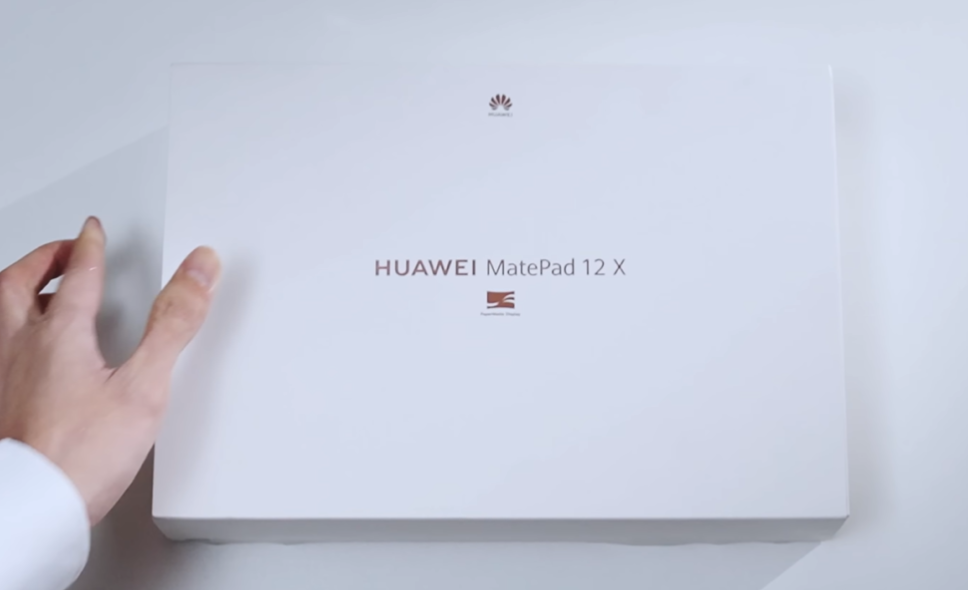
Discover the all-new Huawei MatePad 12X — a stylish 12-inch tablet with a glare-free display, premium design, and impressive performance. Read our full Huawei MatePad 12X review to know its pros, cons, features, and real-life experience in 2025.
Table of Contents
🪄 1. Introduction – The Return of Huawei’s Big Tablet
Huawei is back at it again — launching more tablets than most brands do in a full year. The latest addition to their ever-growing lineup is the Huawei MatePad 12X (2025 edition) — a sleek, powerful, and beautifully built device that sits right below the premium MatePad Pro.
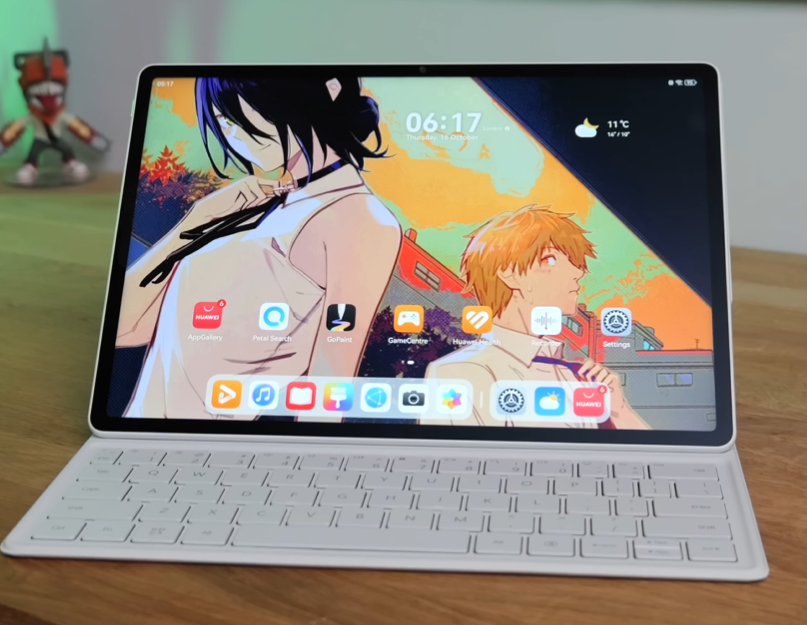
In this Huawei MatePad 12X review, I’ll take you through everything — design, performance, display quality, battery life, and overall experience.
If you’re looking for a tablet that balances entertainment, productivity, and portability, this might be the one to beat.
So grab your chai (or coffee), and let’s dive in! ☕📱
💎 2. Design & Build Quality
✨ A Premium All-Metal Design
Right out of the box, the MatePad 12X screams premium. It’s crafted entirely from aluminum with a pearlescent matte finish that looks and feels luxurious. The tablet weighs 555 grams, which is surprisingly light for a 12-inch device, and measures just under 6 mm thin — as sleek as modern smartphones.

Huawei clearly wants this to feel like a premium lifestyle gadget, not just another big screen.
🎨 Color Options and Finish
You get two colors:
- Pearl White – fresh, clean, and minimalistic
- Forest Green – elegant and professional
Both shades have a soft texture that resists fingerprints, scratches, and smudges. It’s easy to hold, comfortable for binge-watching, and won’t slide off your desk easily.
💧 Durability
There’s no official IP rating, meaning it’s not fully waterproof, but it can handle light splashes and moisture. So, no worries if you spill a few drops of coffee while editing notes.
For extra protection, Huawei’s Smart Magnetic Keyboard Cover doubles as a case, keeping it safe when you’re on the move.
🌈 3. Display – Glare-Free, Paper-Like Brilliance
🖥️ A 12-Inch LCD That Feels Like Paper
The Huawei MatePad 12X packs a 12-inch LCD Paper Matte display with a resolution of 2800×1840 pixels. While it’s not an OLED panel like the MatePad Pro, it delivers stunning detail and vibrant color accuracy.
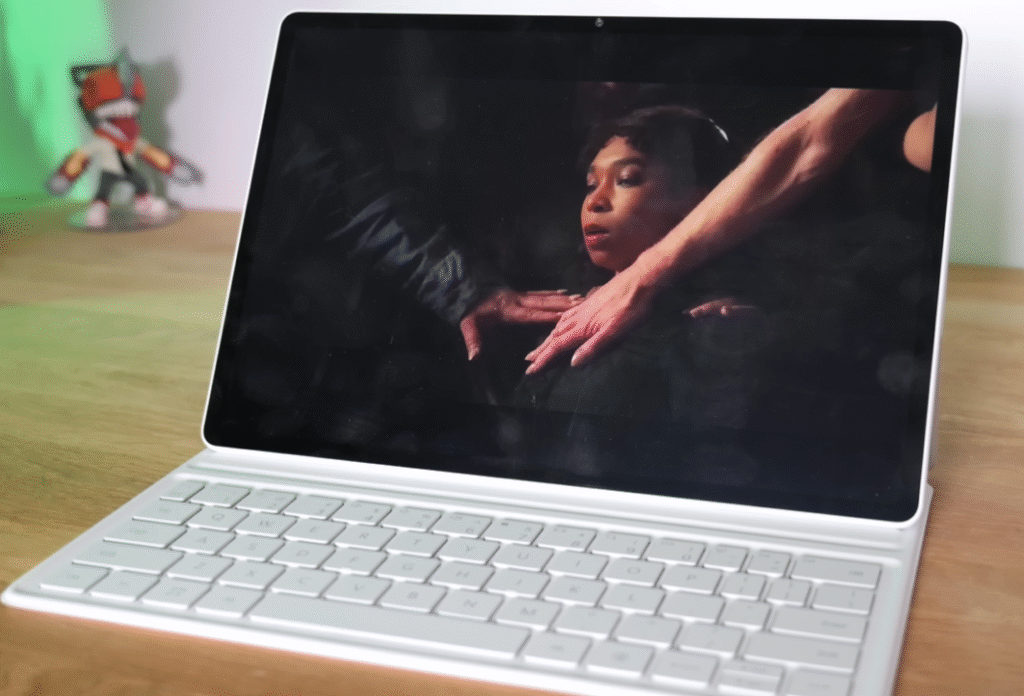
Huawei’s “Paper Matte” coating reduces reflections and glare — ideal for reading, sketching, or watching Netflix on a bright sunny day. You can literally take this outside without squinting.
☀️ Brightness and Outdoor Visibility
The screen reaches up to 1000 nits, which is plenty for outdoor use. Even under direct sunlight, the content remains visible, thanks to the anti-glare surface.
⚡ Smooth 144Hz Refresh Rate
Scrolling, gaming, and drawing feel buttery smooth with the 144Hz refresh rate. Whether you’re browsing through apps or editing photos, it feels fluid and modern — no stutter, no lag.
📚 Eye Comfort Features
Huawei includes Natural Tone and Eye Comfort modes that adjust brightness and color temperature automatically to reduce eye strain during long sessions. It’s a small touch that makes a big difference when you’re working late at night.
🔊 4. Audio – Big, Bold, and Balanced
The MatePad 12X doesn’t skimp on sound. It comes with a 6-speaker setup — quad woofers and dual tweeters — tuned by Huawei’s in-house audio team.

You get:
- Loud, room-filling sound
- Clear vocals and crisp highs
- Solid bass response even without headphones
Watching YouTube, streaming Netflix, or listening to Spotify feels immersive. It easily beats most laptops in this price range for audio clarity.
⚙️ 5. Software & HarmonyOS 4
📱 A Google-Free Experience
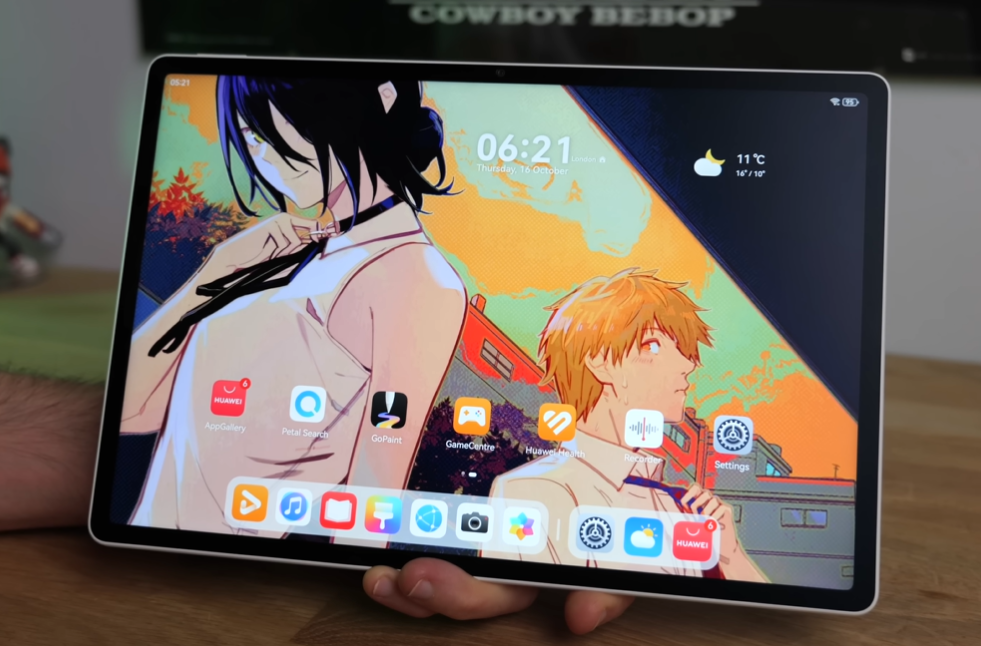
The tablet runs HarmonyOS 4, Huawei’s own ecosystem. There’s no Google Play Store or Google services. Instead, you use:
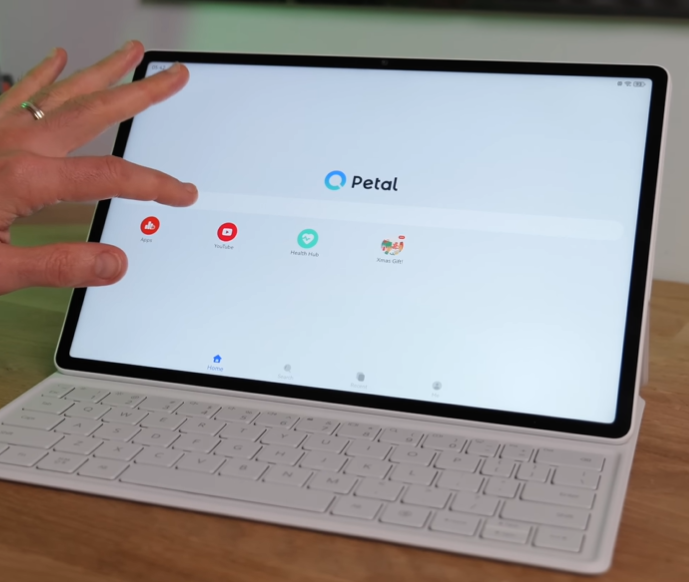
- AppGallery – Huawei’s official app store
- Petal Search – to find APKs and alternative apps
You can download popular apps like TikTok, Telegram, Spotify, and even WhatsApp through Petal Search or trusted APK sources such as APKPure.
⚠️ Just make sure you download only from verified, safe sources.
🧩 Multitasking & Productivity
HarmonyOS shines when it comes to multitasking.
You can:
- Drag & drop apps side by side
- Use Multi-Window and Floating Apps
- Connect with other Huawei devices seamlessly
Switching between a browser, video, and notes is smooth — perfect for students or professionals working remotely.
🎮 6. Performance & Gaming Experience
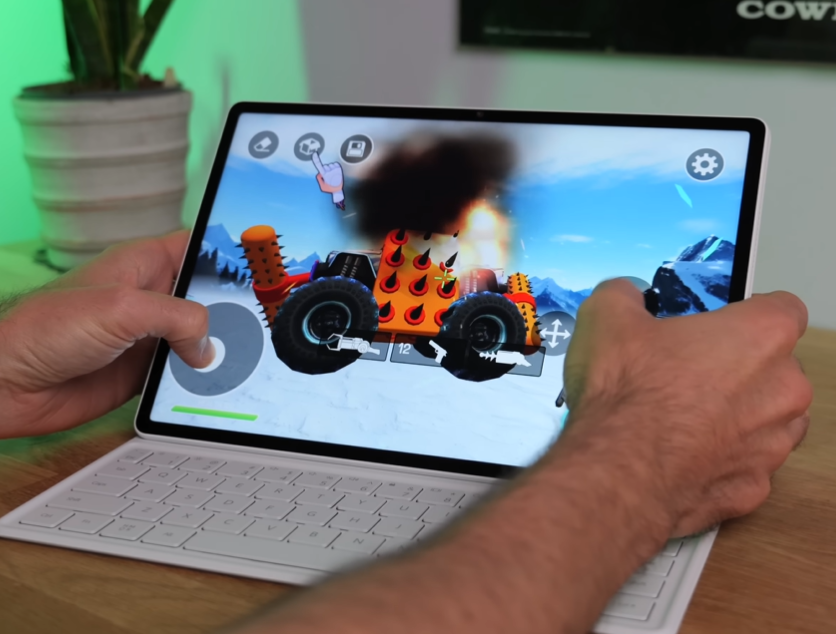
Huawei doesn’t officially reveal the chipset, but it’s believed to be a new Kirin processor optimized for the 2025 MatePad series. Whatever it is, it handles day-to-day tasks with ease.
🧠 Everyday Performance
Browsing, video calls, note-taking, or streaming — all run fluidly with zero hiccups. App transitions are instant, and multitasking feels effortless.
🎮 Gaming Test
I tested games like Asphalt 9, Genshin Impact, and a few trending AppGallery titles. Gameplay is smooth at medium-high settings, though demanding games may warm the tablet slightly after long sessions.
There are occasional ads in third-party app store games, but performance-wise, it’s rock solid.
⌨️ 7. Smart Magnetic Keyboard & M-Pencil Pro
💼 Smart Keyboard Cover
Huawei’s Smart Magnetic Keyboard is a game-changer. It attaches magnetically, doubles as a case, and lets you type comfortably on the go.
- Two adjustable viewing angles
- Edge-to-edge key layout
- Good key travel and clicky feedback
Although it lacks backlighting, typing feels responsive and natural. You can easily hit fast typing speeds for emails or document editing.
✍️ M-Pencil Pro Stylus
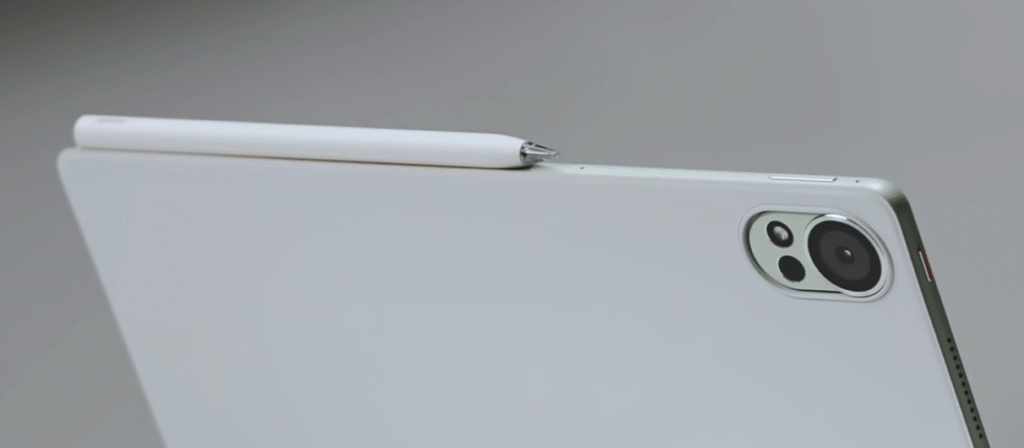
The M-Pencil Pro stylus adds another layer of creativity. It supports haptic feedback, pressure sensitivity, and a star ring indicator for visual response.
Artists, students, and note-takers will love how natural it feels — like writing on real paper thanks to that matte texture.
📸 8. Cameras – Better for Video Calls Than Photography
🤳 Front Camera
An 8MP selfie camera sits neatly on the top bezel. It supports Full HD video recording — not 4K, unfortunately — but performs well in video calls with clear audio pickup.
Even under harsh lighting, facial detail and exposure remain consistent. Perfect for Zoom, Teams, or Meet sessions.
📷 Rear Camera
At the back, you get a 50MP main camera — an overkill for document scanning but handy in emergencies.
Photos are detailed in good light, but don’t expect flagship-level dynamic range. It’s more than fine for quick snaps or scanning PDFs.
Video recording maxes out at 1080p, and stabilization is average. In short: the camera is functional, not phenomenal.
🔋 9. Battery Life & Charging Speed
The MatePad 12X’s long battery life is one of its outstanding qualities.
With its 10,100 mAh battery,
- it can play videos continuously for up to 14 hours when not in use.
- Approximately 10–11 hours spent streaming and multitasking.
By the time you go to bed, you will still have energy left over from extended creative sessions.
Compared to Samsung or Lenovo tablets in this market, the 66W SuperCharge adaptor charges it from 0% to 100% in less than 90 minutes.
🧳 10. Real-World Experience – Work, Play, and Travel
In real-life use, the Huawei MatePad 12X shines as an entertainment and productivity companion.

Here’s how it fits different lifestyles:
🎬 For Entertainment Lovers
- Stunning screen for Netflix or YouTube
- Loud, clear speakers
- Minimal reflections outdoors
🎓 For Students
- Great for note-taking with M-Pencil
- Long battery life for classes
- Multi-window support for studying and reference
💼 For Professionals
- Easy typing with the Smart Keyboard
- Split-screen multitasking
- Lightweight design for travel
Whether you’re watching movies, attending meetings, or sketching ideas, the MatePad 12X handles it all gracefully.
✅ 11. Pros & Cons
| Pros | Cons |
| Gorgeous design and lightweight body | No Google Play Store |
| Excellent glare-free LCD display | No 4K video recording |
| Strong battery life and fast charging | No IP water resistance |
| Great speakers and audio output | Limited color calibration options |
| Solid multitasking with HarmonyOS | No fingerprint sensor |
🏁 12. Final Verdict – Should You Buy the Huawei MatePad 12X?
After spending weeks testing it, here’s my honest take:
The Huawei MatePad 12X is one of the most balanced tablets of 2025. It’s stylish, functional, and reliable, ideal for content consumption, studying, or creative work.

If you’re fine living without Google services, it’s easily one of the best large-screen tablets you can buy right now.
🏆 Who Should Buy It
- Students who need a powerful note-taking tablet
- Creatives who sketch or edit photos
- Professionals seeking a laptop alternative for travel
❌ Who Should Skip It
- Users deeply dependent on Google apps (Docs, Gmail, Drive)
- Heavy video editors or 4K content creators
Overall, this Huawei MatePad 12X review proves that Huawei’s comeback in the tablet space is no joke. They’ve nailed design, performance, and usability.
❓ 13. FAQs – Huawei MatePad 12X
Q1: Does the Huawei MatePad 12X support Google Play Store?
No, it runs HarmonyOS without Google services. You can use AppGallery or Petal Search to find and install apps.
Q2: What is the refresh rate of the MatePad 12X?
It supports up to 144Hz, making animations, scrolling, and gaming ultra-smooth.
Q3: Is the MatePad 12X compatible with a SIM card?
No support for SIM or eSIM. It is merely Wi-Fi, but tethering from your phone is simple.
Q4: Is the M-Pencil Pro stylus supported?
Yes, and it provides authentic writing experiences with physical haptic feedback.
Q5: How long does the battery last?
Expect around 12–14 hours of video playback or 10 hours of mixed usage.
Q6: Is it better than the MatePad Pro?
The MatePad Pro has an OLED screen and slightly faster performance, but the MatePad 12X offers better value for its price and excellent glare-free usability.
🌐 14. External Resources & References
For more details and software updates:
- Huawei Official Product Page – MatePad 12X
- Huawei AppGallery
- Petal Search Guide
- TechRadar – Huawei Tablet Reviews
- GSMArena – Huawei MatePad 12X Specifications
💬 Final Words
That wraps up my Huawei MatePad 12X review — a tablet that’s stylish, smooth, and surprisingly capable.
If you want a premium tablet for streaming, note-taking, or productivity (without paying iPad Pro prices), the MatePad 12X delivers in spades.
Now over to you — would you switch from your current tablet to the Huawei MatePad 12X? Drop your thoughts below 👇
Recent Posts
- Vivo X300 Pro Review: The Android Camera Beast That Dares To Beat iPhone!
- Best Laptops Under ₹40,000 in India 2025 – Gaming, Editing & Everyday Use Beasts
- Asus Zenbook A14 Review: Is This ₹84,000 Laptop Really Worth It?
- Best RO Water Purifier for Home: 2025 Guide for India
- Samsung Galaxy Tab S11 Ultra Review – The Most Powerful Android Tablet Yet!
[…] Huawei MatePad 12X Review (2025): A Slim Powerhouse for Entertainment, Creativity & Everyday Use […]
[…] Huawei MatePad 12X Review (2025): A Slim Powerhouse for Entertainment, Creativity & Everyday Use […]
[…] Huawei MatePad 12X Review (2025): A Slim Powerhouse for Entertainment, Creativity & Everyday Use […]