Introduction
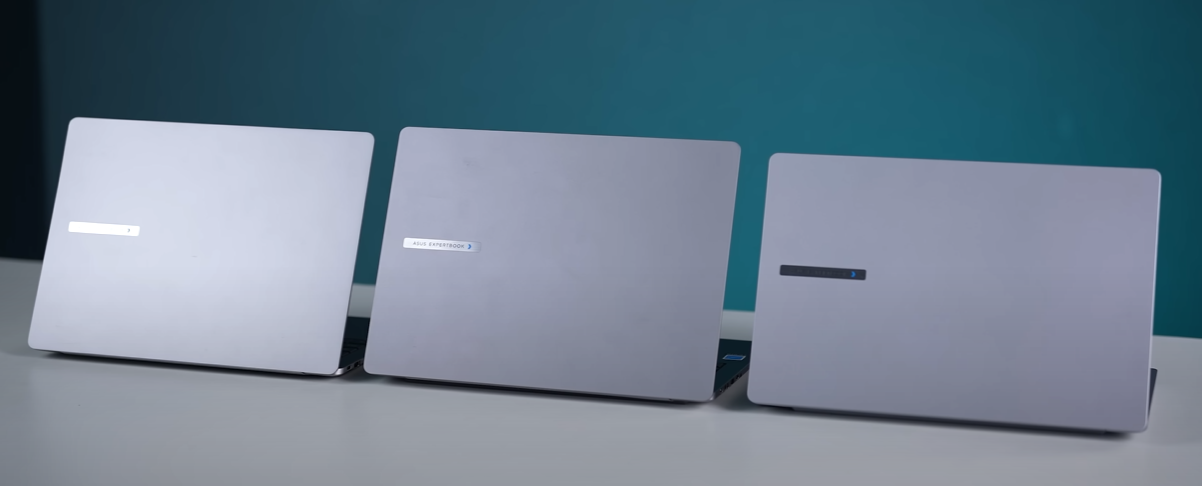
The demand for business laptops has grown tremendously in recent years as professionals, entrepreneurs, and students require portable yet powerful machines. Asus, a brand already trusted in the consumer electronics space, has created its ExpertBook series specifically for professionals who value durability, upgradability, security, and portability.
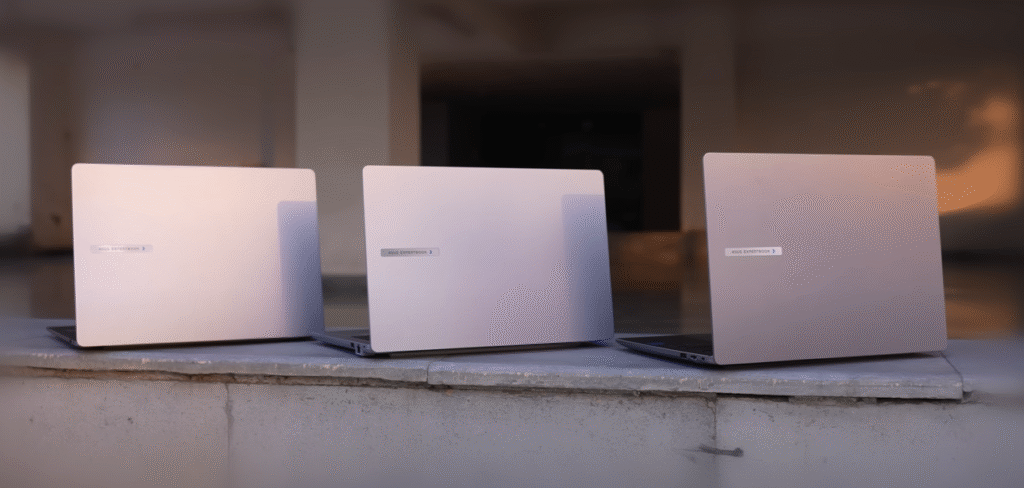
In this article, we will cover everything you need to know about the Asus ExpertBook P1, Asus ExpertBook P3, and Asus ExpertBook P5 models. We’ll compare their build quality, durability, display features, performance, battery life, pricing, and ideal use cases.
Whether you are looking for a lightweight laptop for everyday office tasks or a high-end powerhouse for advanced workloads, this review will help you make an informed choice.
Table of Contents
Overview of Asus ExpertBook Series
The Asus ExpertBook P-series laptops are designed for business professionals, entrepreneurs, corporate employees, and students who want a balance between portability and power. Unlike regular consumer laptops, the ExpertBook line focuses on:
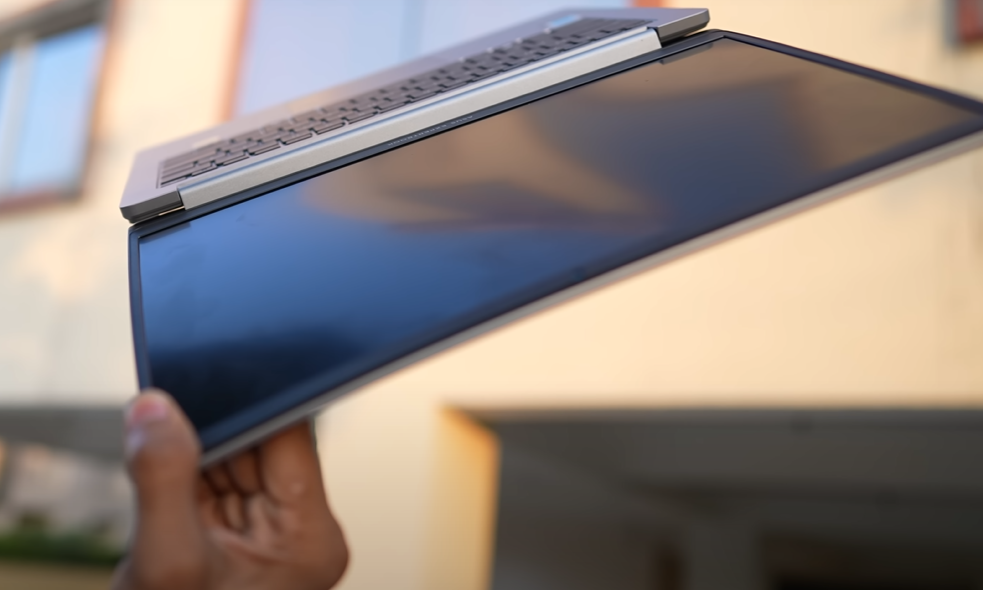
- Durability: Military-grade build and resistance against accidental drops.
- Upgradability: RAM and SSD expansion options.
- Security: Hardware TPM 2.0, fingerprint scanner, privacy shutter, and self-healing BIOS.
- Portability: Lightweight designs ideal for travel and hybrid work.
The series currently includes:
- Asus ExpertBook P1 – Entry-level, budget-friendly, ideal for everyday office tasks.
- Asus ExpertBook P3 – Mid-range, balanced for professionals needing better performance.
- Asus ExpertBook P5 – High-end, premium build with powerful specs for demanding users.
Durability and Build Quality
Durability is the highlight of the Asus ExpertBook laptops.
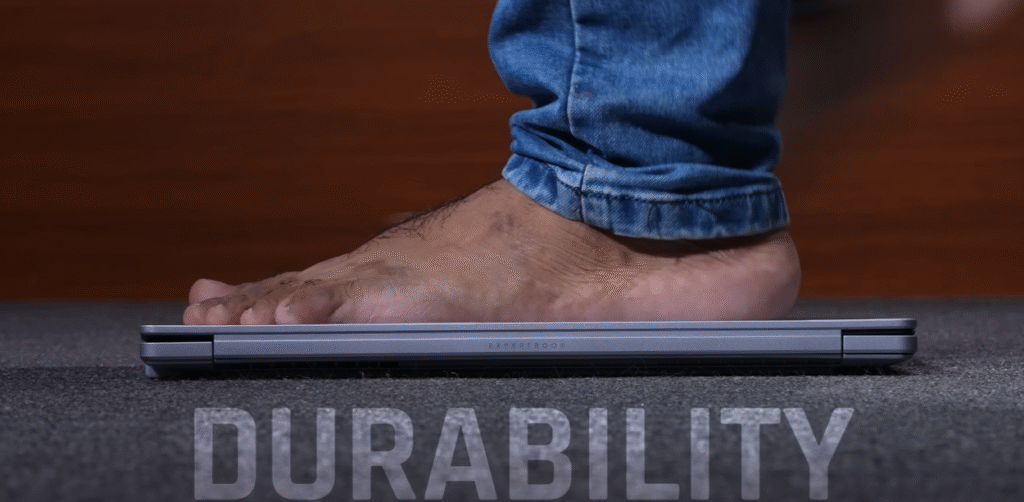
- Asus ExpertBook P1: Built with polycarbonate + ABS material, making it both flexible and strong. It is military-grade certified to withstand drops and pressure.
- Asus ExpertBook P3 and P5: Feature aluminum alloy builds, offering a more premium feel compared to the P1. They are sturdier and slightly more resistant to wear and tear.
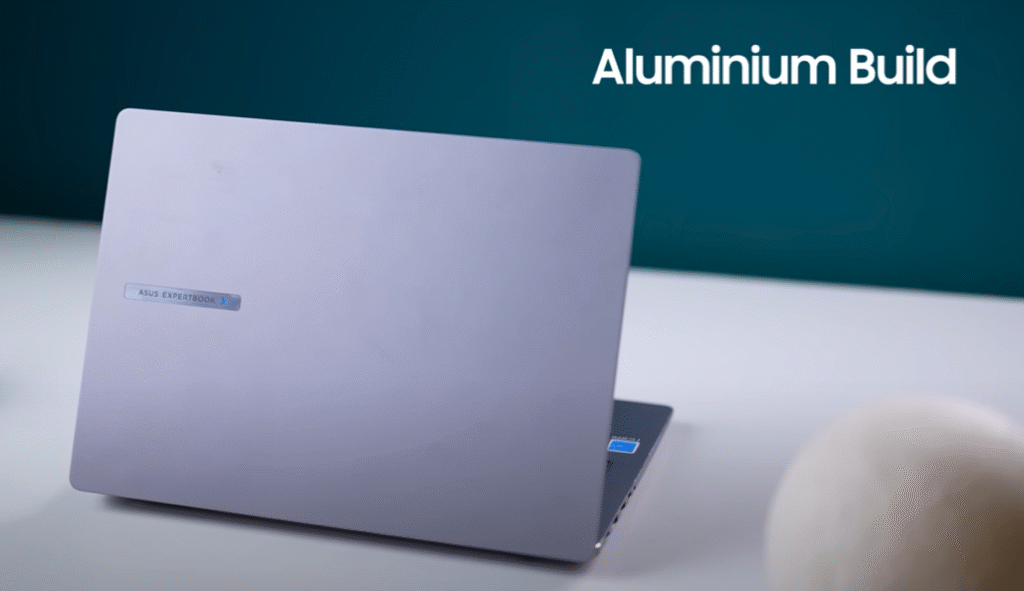
The use of ABS in P1 improves toughness while aluminum in P3 and P5 provides superior durability and aesthetics.
👉 Learn more about military-grade laptop durability from Asus.
Weight and Portability
When choosing a business laptop, portability is crucial. Here’s the breakdown:
- Asus ExpertBook P5: 1.26 kg
- Asus ExpertBook P3: 1.42 kg
- Asus ExpertBook P1: 1.43 kg
Despite being metal-built, the P5 remains the lightest in the series, making it perfect for frequent travelers.
Military-Grade Durability Tests
Asus claims bold durability standards, and live tests back this up. The laptops can withstand:
- Edge holding test – Holding from the edge with full weight applied.
- Drop test – From desk height as well as standing height.
While these laptops survived the tests, it’s not recommended for buyers to try them at home, as accidental misuse can still damage components.
Display Quality and Variants
Each model offers a display suited to different needs:
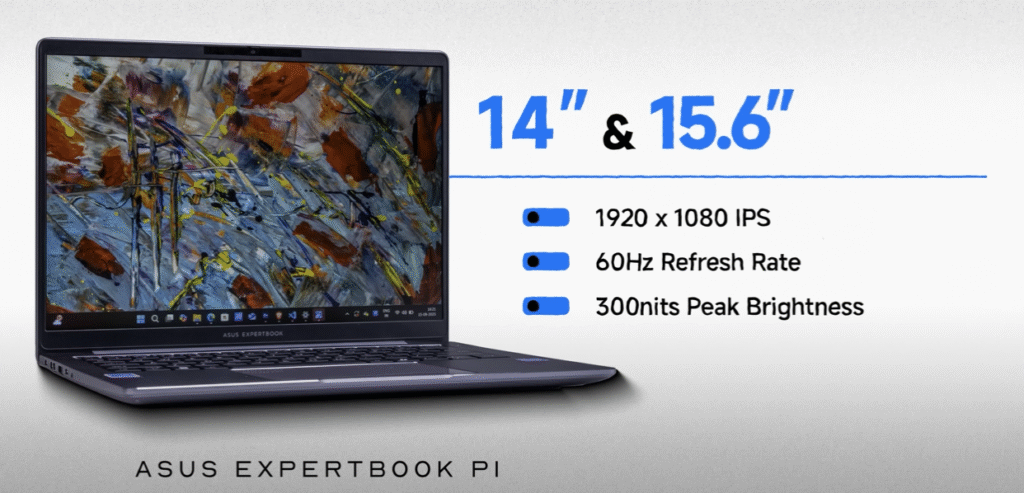
Asus ExpertBook P1 – Available in 14-inch and 15.6-inch Full HD+ IPS display, 300 nits brightness.
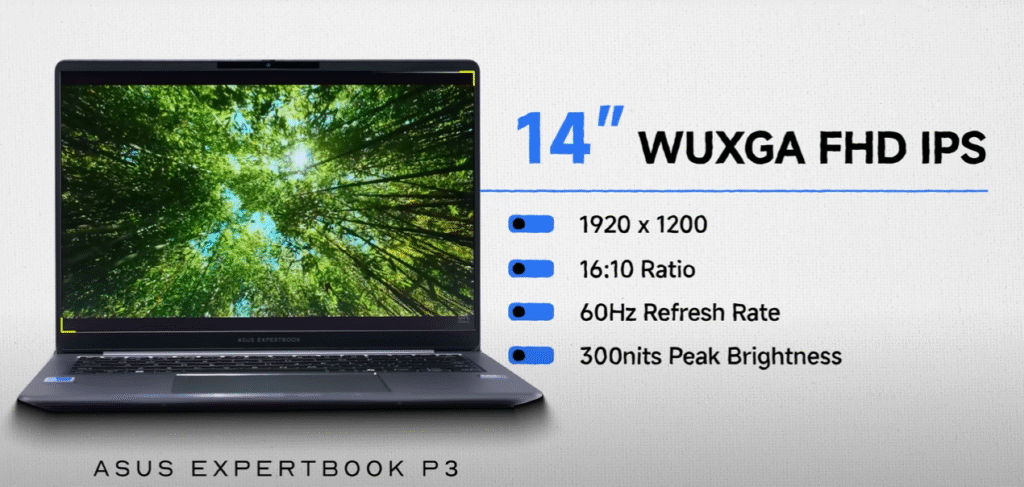
Asus ExpertBook P3 – 14-inch Full HD+ IPS LCD, 60Hz refresh rate, 300 nits brightness.
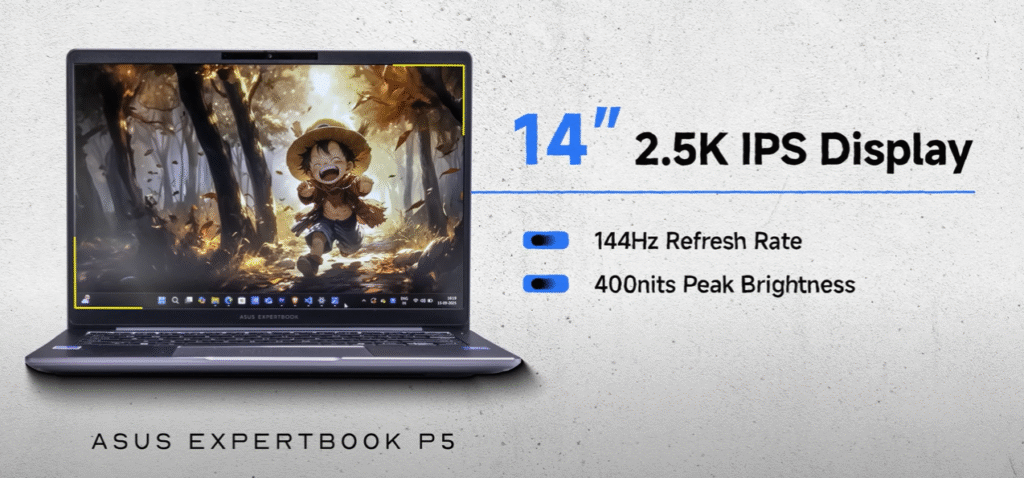
Asus ExpertBook P5 – 14-inch 2.5K resolution, 144Hz refresh rate, 400 nits brightness.
All displays are anti-glare matte panels with low blue-light certification, reducing eye strain during long work hours.
Screen-to-body ratios:
- P1: 87%
- P3: 84%
- P5: 90%
Keyboard, Trackpad, and Security

- Keyboard: Spill-resistant, tactile feel, ideal for business environments.
- Trackpad: Large and smooth, supporting gestures.
- Fingerprint scanner:
- P1 – Separate fingerprint scanner on the trackpad.
- P3 & P5 – Integrated into the power button.
- Webcam: Includes privacy shutter and AI enhancements such as automatic light optimization, background blur, and motion tracking.
Ports and Connectivity
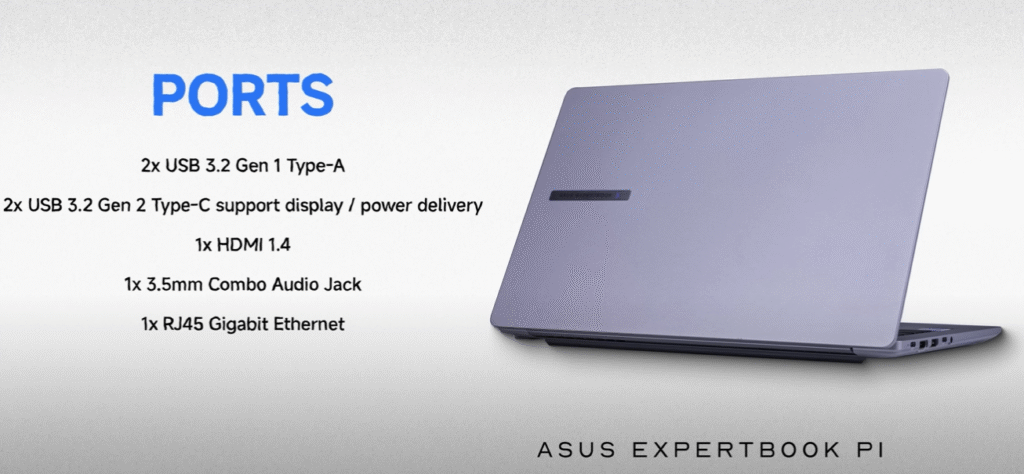
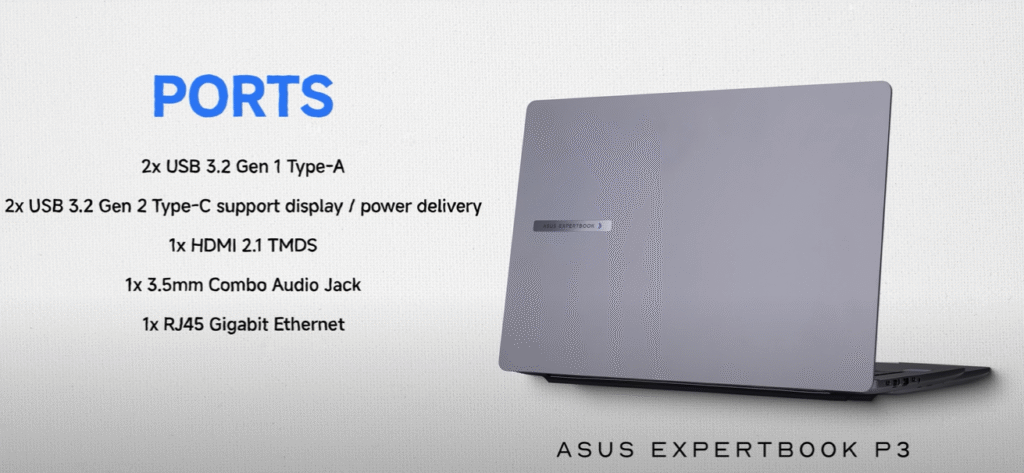
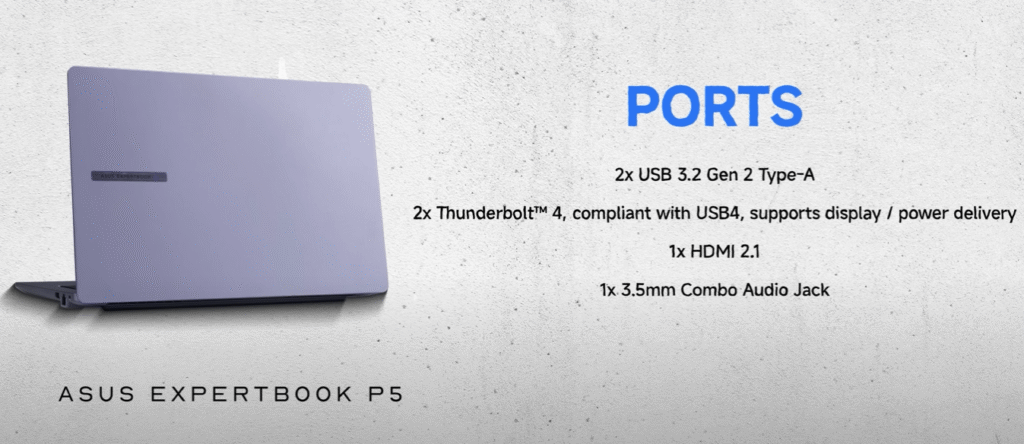
The laptops provide versatile connectivity:
- USB Type-C with Power Delivery
- USB-A ports
- HDMI
- Ethernet (RJ-45)
- Headphone/mic combo jack
The variety ensures compatibility with office accessories, monitors, and docking stations.
Audio and Speaker Performance

- Asus ExpertBook P5: Supports Dolby Atmos for immersive sound.
- Asus ExpertBook P1 & P3: Feature Audio by Dirac, optimized for clarity and loudness.
While not meant to replace dedicated external speakers, they perform well for meetings and casual multimedia use.
Performance and Hardware Configurations
Performance varies across the three models:
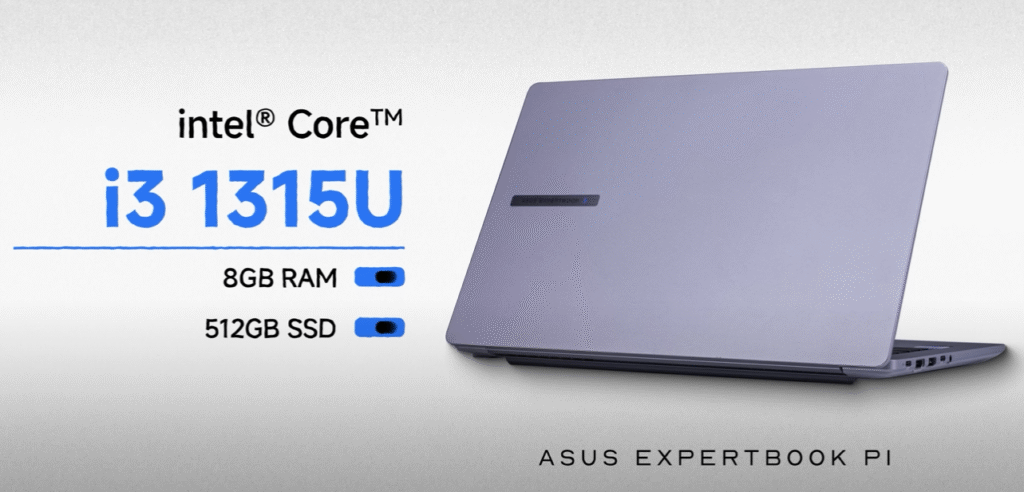
Asus ExpertBook P1: Starts with Intel Core i3, up to Intel Core i7, 8GB RAM, 512GB SSD. Best for everyday tasks like browsing, office work, and video calls.
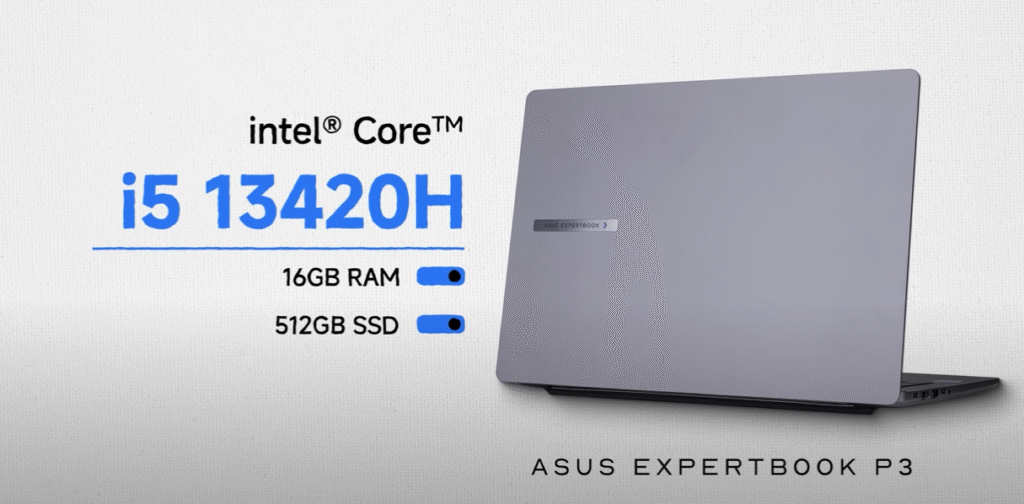
Asus ExpertBook P3: Starts with Intel Core i5, up to Intel Core i7, 16GB RAM, 512GB SSD. Suited for professionals needing multitasking and higher productivity.
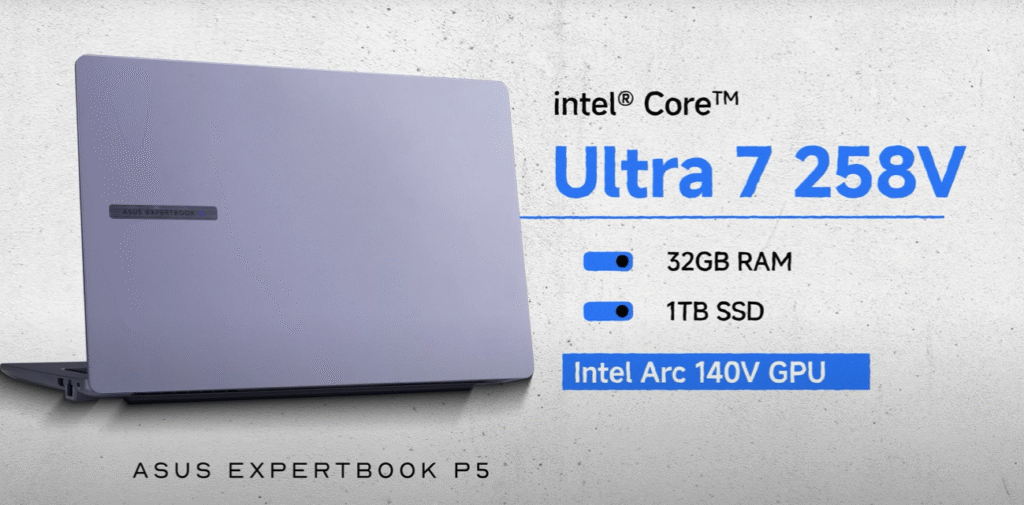
Asus ExpertBook P5: Features Intel Core Ultra 5 or Ultra 7, up to 32GB RAM and 1TB SSD, with Intel Arc 140 GPU for graphics-intensive tasks, AI workflows, and light gaming.
All three allow future storage expansion, giving them an edge over many ultrabooks.
Battery Life and Charging Options:
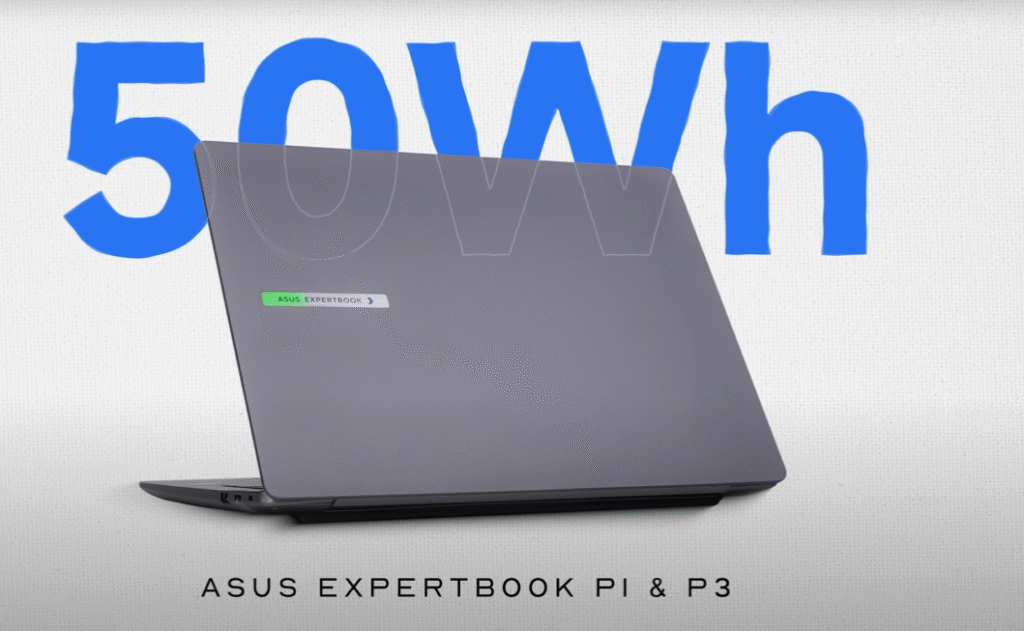
• Asus ExpertBook P1 & P3: 50Wh battery
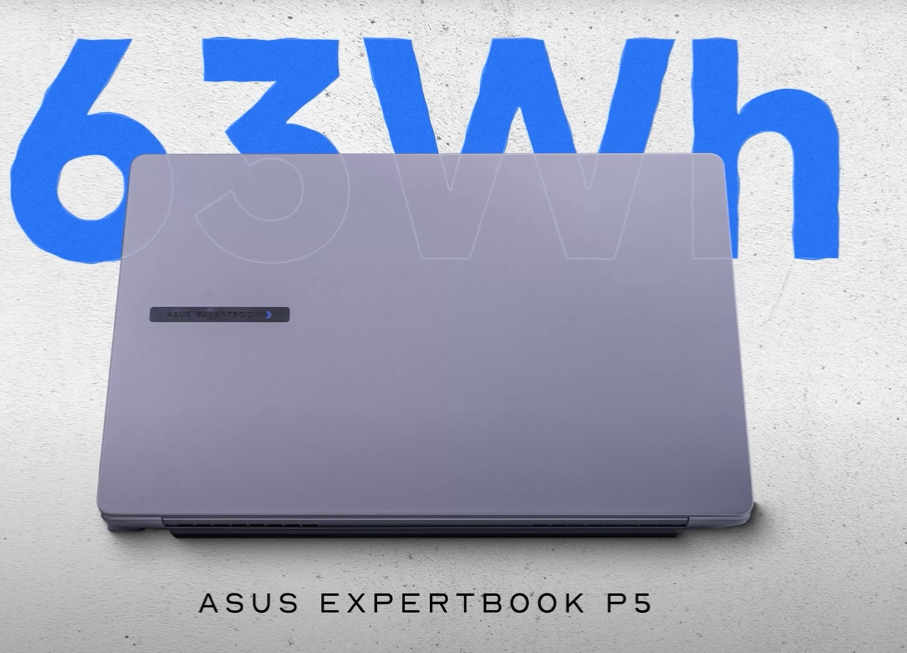
• Asus ExpertBook P5: 63Wh battery
• Contains a 65W USB-C PD charger that can be used to charge phones and TWS earbuds in addition to being able to be charged via a power bank, car charger, or airplane charging port.
Security Features
Security is a major highlight of the ExpertBook line:
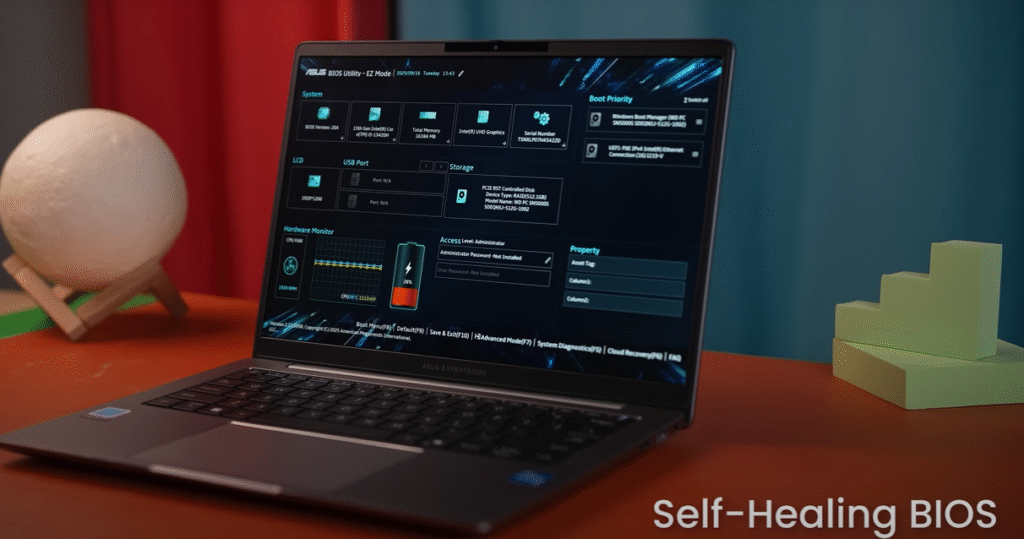
- Self-healing BIOS – Automatically recovers in case of corruption or malware attacks.
- TPM 2.0 chip – Provides hardware-level protection against cyber threats.
- Kensington lock slot – Prevents theft in public environments.
- Fingerprint and privacy shutter – Protects personal and corporate data.
Software and Customization
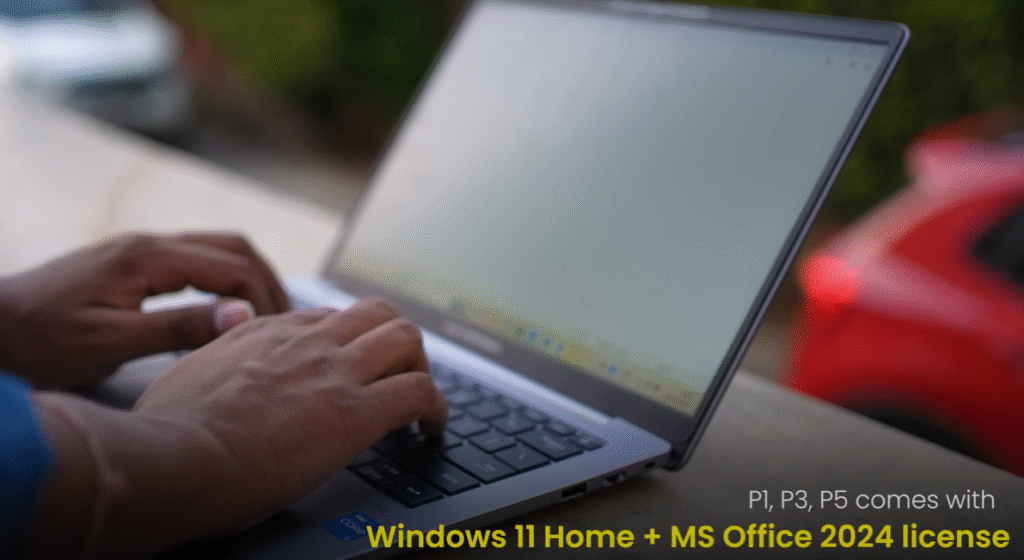
All models ship with:
- Windows 11 Home
- Microsoft Office 2024
- MyAsus dashboard – Allows tuning fan speed, system performance, and customization.
- BIOS updates guaranteed for 5 years.
- 1-year accidental damage protection free of cost.
Cost and Availability
Flipkart offers the Asus ExpertBook P series at enticing rates, particularly during the Big Billion Days Sale.
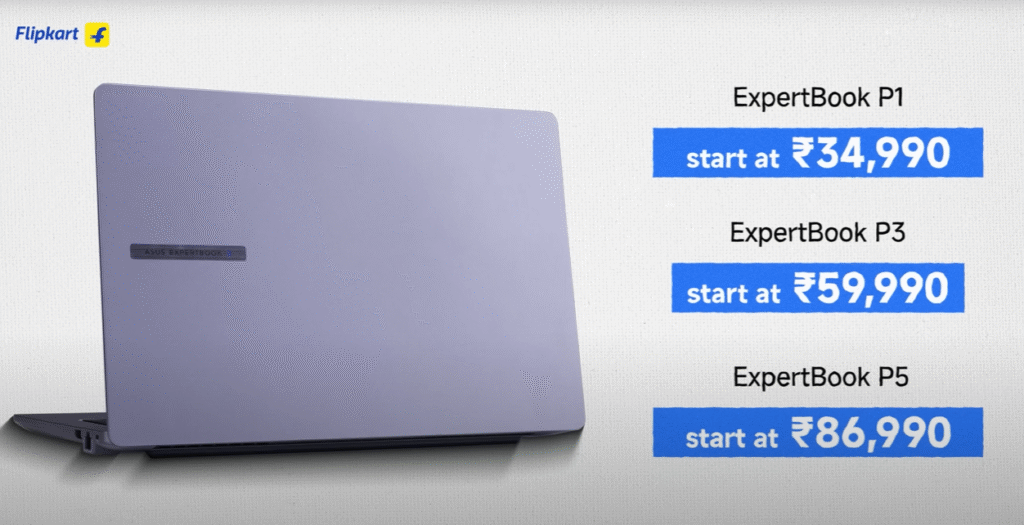
- Asus ExpertBook P3: approximately ₹50,000 to ₹55,000 (estimated)
- Asus ExpertBook P1: approximately ₹34,990
- About ₹87,000 for the Asus ExpertBook P5
👉 View the most recent offers on Asus laptops on Flipkart.
Which ExpertBook Should You Choose?

- Choose Asus ExpertBook P1 if you need a reliable laptop for everyday office tasks, online classes, browsing, and video calls.
- Choose Asus ExpertBook P3 if you want a balanced business laptop with better multitasking power.
- Choose Asus ExpertBook P5 if you’re a power user, gamer, content creator, or AI enthusiast who needs top-tier performance and display quality.
Conclusion
The Asus ExpertBook P1, P3, and P5 notebooks are unique in the business laptop industry due to their durability, expandability, and security features. Whether you are a corporate customer, student, or professional, these laptops offer options to fit every requirement and budget.
This could be the best time to grab one at a lower price if you plan to buy during Flipkart’s Big Billion Days Sale.
Q1. Which Asus ExpertBook is excellent for students?
The Asus ExpertBook P1 is the ideal option for students due to its price, lightweight design, and dependability.
Q2. Is it possible to expand the RAM and storage on the ExpertBook laptops?
Yes, all three models (P1, P3, and P5) have expandable RAM and SSD.
Q3. Is it possible to play games on the Asus ExpertBook P5?
Although the P5 is not a dedicated gaming laptop, its Intel Arc GPU can manage mild to moderate gaming and creative activities.
Q4. How secure are Asus ExpertBook laptops?
With features like fingerprint sensors, self-healing BIOS, privacy shutters, and TPM 2.0, these laptops are among the safest business laptops available.
Q5. Where can I buy the Asus ExpertBooks for the P1, P3, and P5?
You may locate them on Flipkart’s and Asus’ official websites.
Also Read –
- Best Home Theater Under 5000 in India (2025): Complete Buyer’s Guide
- iPhone Air 17 Review: Design, Features, Price & Launch Date
- iPhone 16 vs iPhone 17: A Complete Comparison Before You Buy
- Flipkart Big Billion Day 2025: The Ultimate Guide to Deals, Discounts, and Smart Shopping
- Samsung Galaxy S25 FE: Complete Review, Unboxing, and First Impressions
[…] Asus ExpertBook P1, P3, and P5 Series Review: The Complete Guide to Durability, Performance, and Val… […]
[…] Asus ExpertBook P1, P3, and P5 Series Review: The Complete Guide to Durability, Performance, and Val… […]