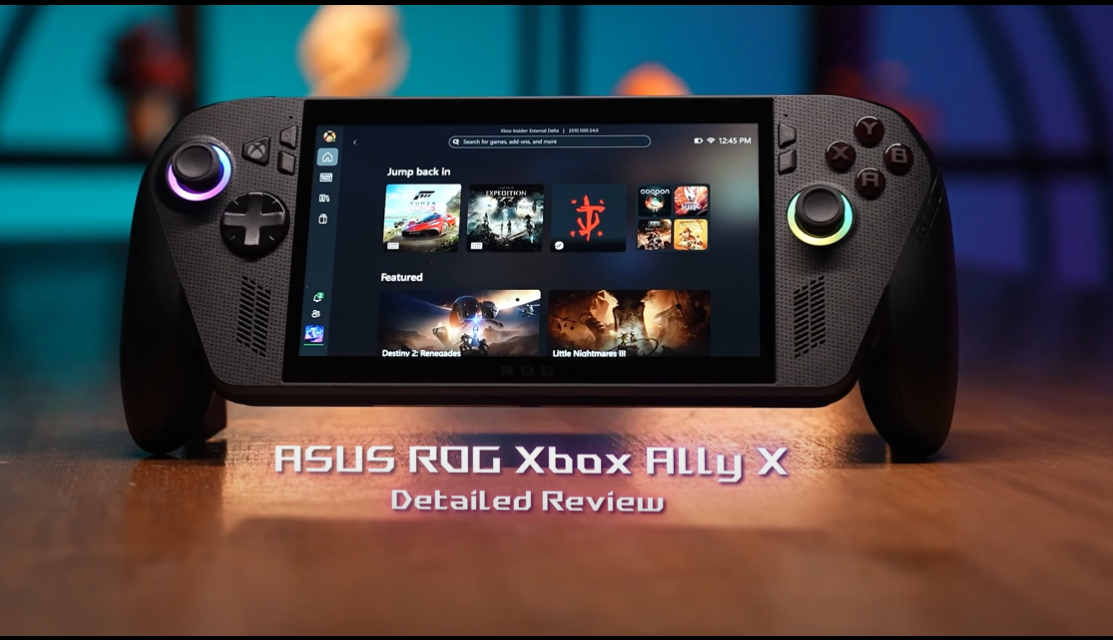
I’ve spent weeks testing the new ASUS ROG Xbox Ally X, and it might just be the most powerful handheld gaming device ever made. Here’s my full review — performance, battery, design, and why it could replace your Xbox or laptop.
Table of Contents
1. Introduction
When ASUS announced the ASUS ROG Xbox Ally X, I honestly thought it was just another handheld trying to copy the Steam Deck. But after actually using it for a few weeks, I can say this thing is different.
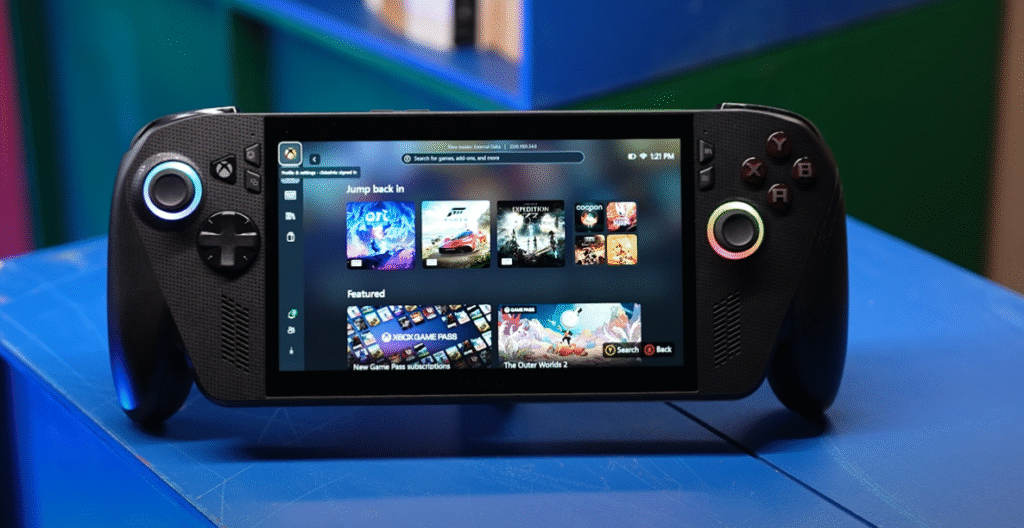
This isn’t just a portable gaming console — it’s a full Windows PC in your hands, and it finally feels like a real Xbox on the go. From the design to performance, ASUS has built something that can satisfy both PC and console gamers.
2. Design and Build Quality
The first thing I noticed was how premium it feels. The ASUS ROG Xbox Ally X has a magnesium-alloy body that’s sturdy yet light. At about 678 grams, it’s slightly heavier than the original ROG Ally, but the weight distribution is much better, so it never feels tiring during long gaming sessions.
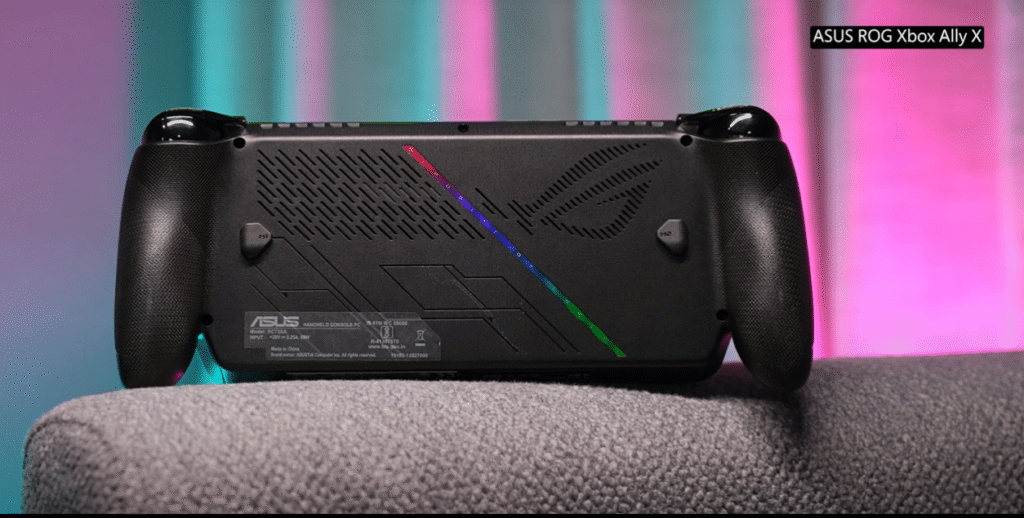
The new matte black finish is a nice touch — it hides fingerprints better than the old white one, and the subtle RGB rings around the analog sticks still make it look unmistakably ROG.
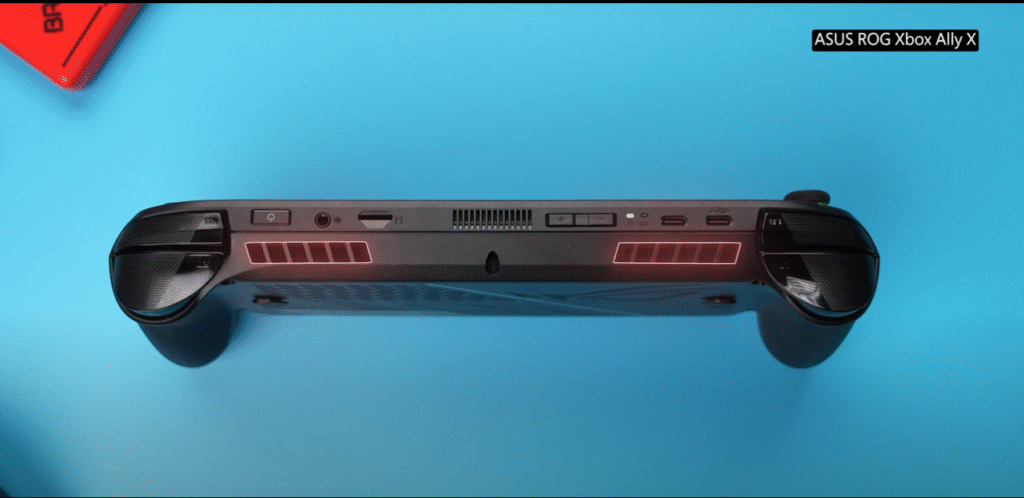
Vent placement has also improved; you don’t feel the hot air blasting on your hands anymore. It runs cooler and quieter, even when you’re pushing it to its limits.
3. Display and Visuals
The display here is phenomenal for a handheld. It’s a 7-inch full-HD 120 Hz panel with 500 nits brightness and full sRGB coverage. The colors pop, and the contrast is excellent for an IPS display.
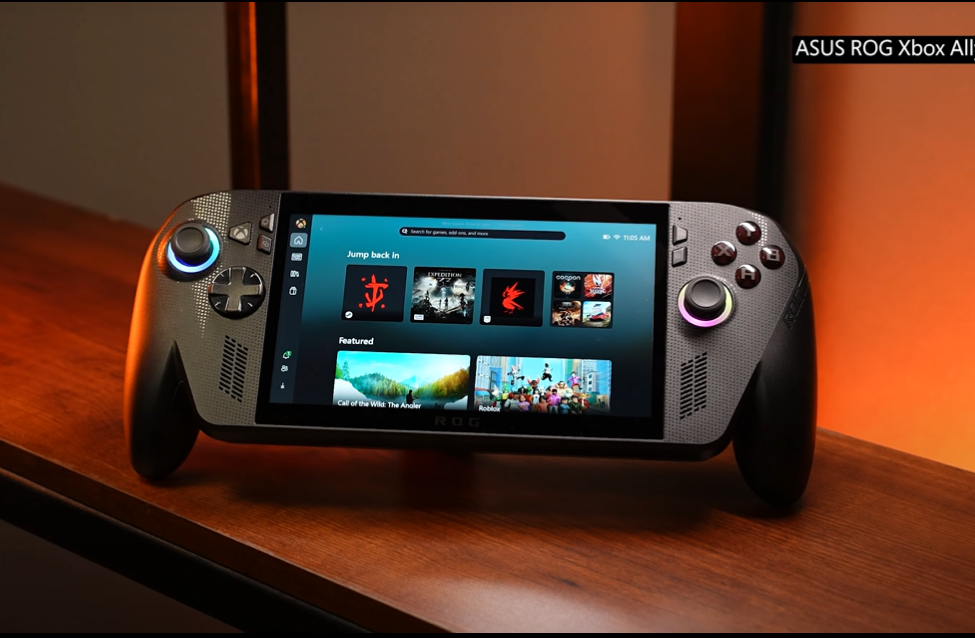
Sure, the Steam Deck OLED wins in black levels, but the Ally X counters with sharper visuals and smoother motion. The high refresh rate makes a huge difference — racing games, shooters, even scrolling through Windows feels silky smooth.
Watching Netflix or YouTube on it is surprisingly satisfying. The bezels are slim, and the stereo speakers make it feel more like a mini laptop than a handheld.
4. Controls and Ergonomics
ASUS completely nailed the ergonomics this time. The grips are deeper, and the triggers have a better tactile feel. The thumbsticks use Hall-effect sensors, meaning they won’t drift over time — a small but important upgrade over the older model.
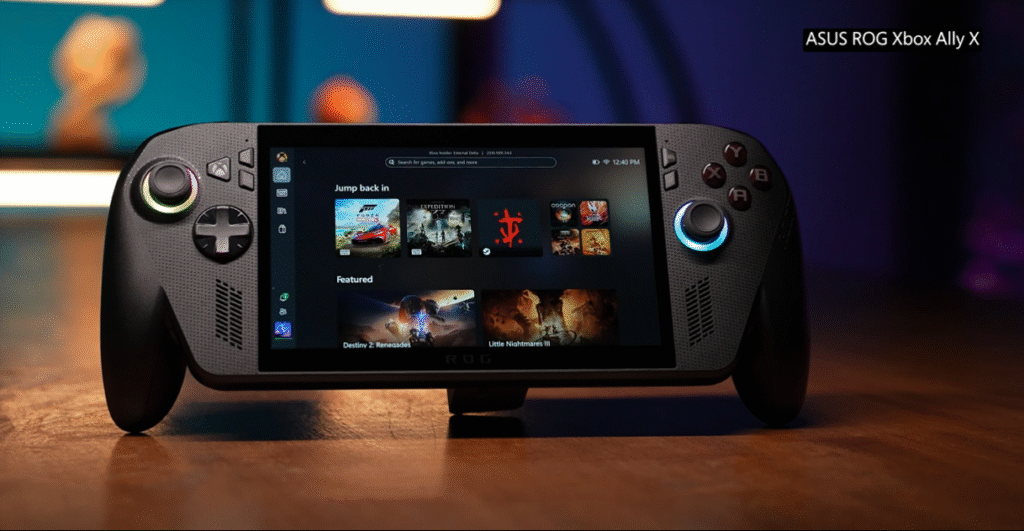
Buttons have a satisfying click, and the D-pad feels snappier, which is perfect for fighting games. I could easily play for hours without wrist strain.
Another improvement: the M1 and M2 rear buttons are now smaller and more recessed, preventing accidental presses. These little refinements show ASUS really listened to feedback from gamers.
5. Hardware and Performance
Under the hood, the ASUS ROG Xbox Ally X runs on AMD’s Ryzen Z1 Extreme APU, paired with 32 GB LPDDR5X RAM and up to 1 TB Gen 4 SSD storage.
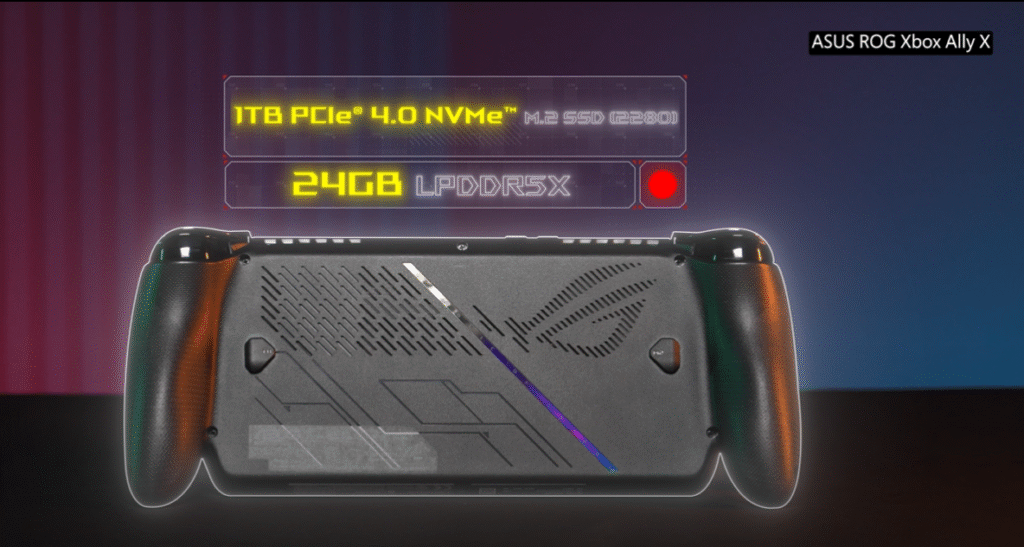
This is serious hardware — not just for handhelds, but for compact PCs in general. The CPU is an 8-core / 16-thread chip, and the integrated RDNA 3 GPU handles modern titles surprisingly well.
I tested Cyberpunk 2077, Forza Horizon 5, and Apex Legends at 1080p medium settings. With ROG’s “Performance” mode on, I consistently got 50–60 FPS, and when I dropped to 720p, the frame rate shot above 70 FPS.
It’s insane to think this kind of power fits into a device smaller than a Switch OLED.
6. Battery Life and Thermal Performance
One of my biggest complaints about the original Ally was battery life. Thankfully, ASUS fixed that. The Ally X now has a whopping 80 Wh battery, double the previous 40 Wh pack.
In real use, I get around 3.5 to 4 hours of AAA gaming and nearly 8 hours of lighter indie games or media playback. That’s a massive improvement — it finally feels portable without the constant fear of running out of juice.
Cooling has been upgraded too. Dual fans, larger vents, and improved heat pipes mean it stays cooler even during demanding sessions. The fans are audible but never annoying — way quieter than the Steam Deck under load.
7. Windows Integration and Xbox Experience
This is where the “Xbox” part of the ASUS ROG Xbox Ally X truly shines. Since it runs full Windows 11, you can install any launcher you want — Steam, Epic Games, Battle.net, and of course, the Xbox app.
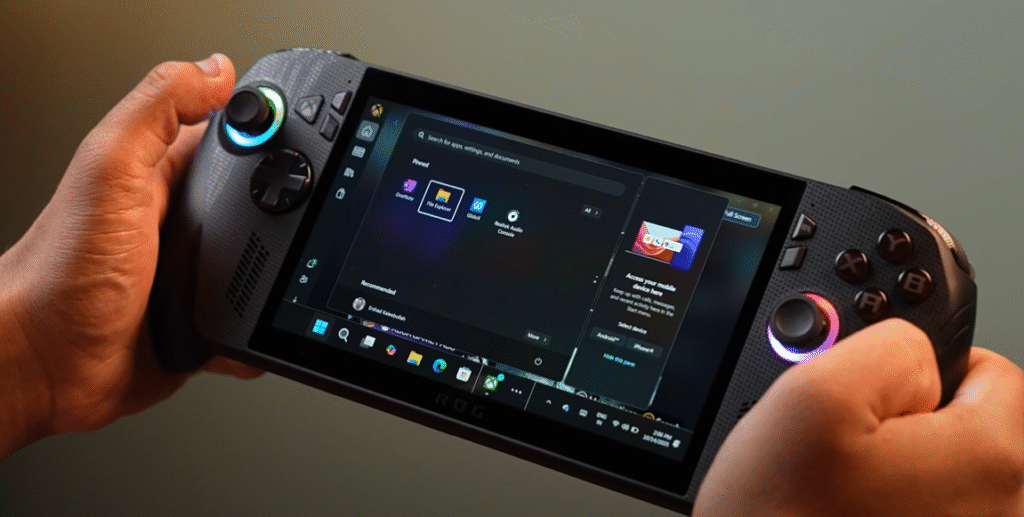
Game Pass works flawlessly. I was literally playing Starfield on the couch within minutes, continuing right from where I left off on my desktop PC. It’s seamless and feels like a true portable Xbox.
Windows navigation used to be clunky on handhelds, but ASUS’ Armoury Crate SE 2.0 makes it smoother. It centralizes all your games, lets you tweak fan curves, and even switch performance profiles with one tap.
8. Gaming Performance (Real-World Tests)
Here’s what I experienced across a few games:
| Game | Settings | Avg FPS | Notes |
|---|---|---|---|
| Cyberpunk 2077 | Medium 1080p | 56 FPS | Smooth with FSR 2 on |
| Forza Horizon 5 | High 1080p | 65 FPS | Gorgeous visuals |
| Valorant | High 1080p | 120 FPS | Feels like PC esports |
| Elden Ring | Medium 720p | 70 FPS | Runs beautifully |
| Starfield | Medium 1080p | 45 FPS | Playable with tuning |
Every game felt playable, even demanding ones. AMD’s FSR 3 Frame Generation really helps. On less intensive titles like Hades II or Celeste, it easily pushes beyond 100 FPS.
9. Audio, Cooling, and Connectivity
Audio quality has improved a lot. The front-facing stereo speakers are louder and clearer with better separation. Bass isn’t deep, but dialogue and ambient sound come through cleanly.
Connectivity is top-tier:
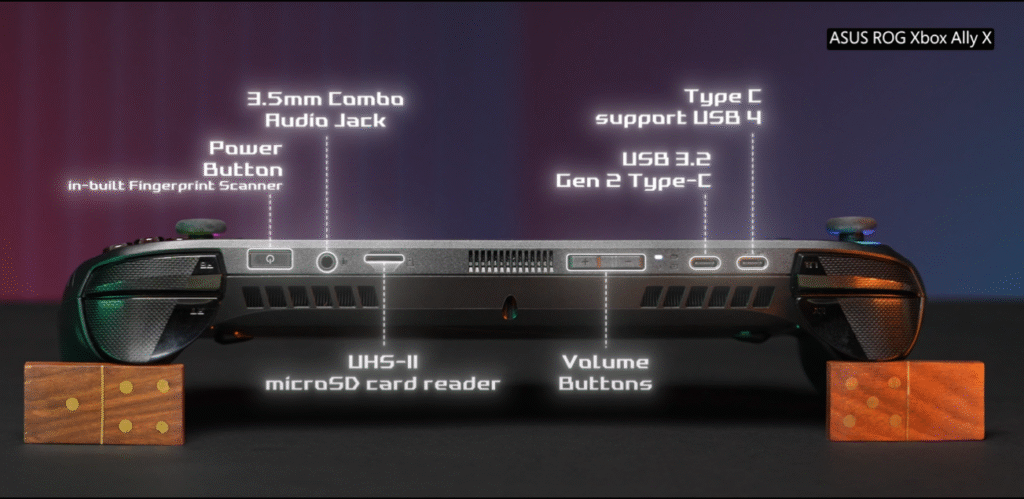
- 2 × USB-C ports (one supports DisplayPort 1.4 and charging)
- microSD UHS-II slot
- Headphone jack
- Wi-Fi 7 and Bluetooth 5.3
No more proprietary XG Mobile port — both USB-C ports support external GPUs, making it easy to dock to your monitor or even a 4090-powered eGPU.
10. Software Experience and UI
ASUS’ Armoury Crate SE 2.0 deserves credit. It’s smoother, more responsive, and less buggy than the first version. It auto-detects games from all launchers, and switching profiles is instant.
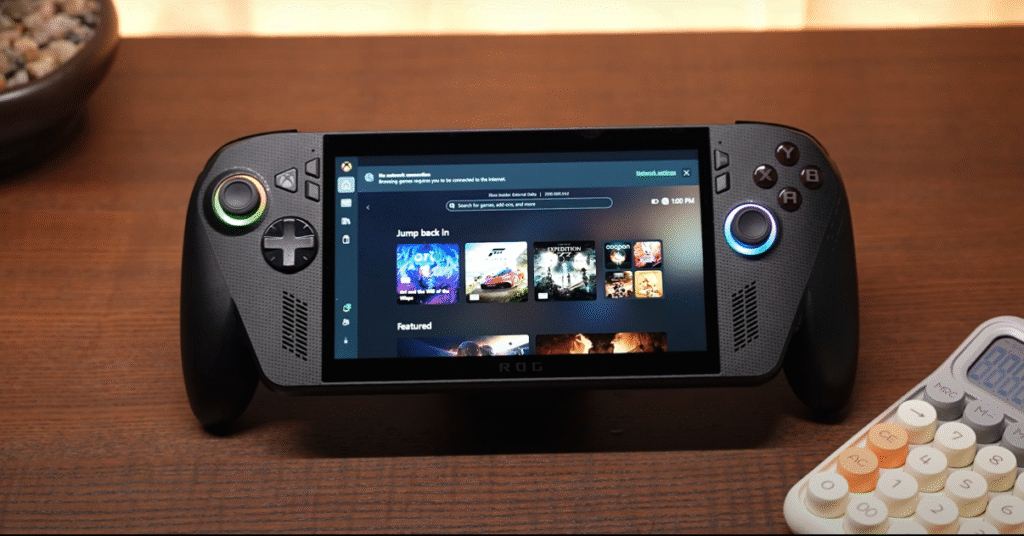
You can remap buttons, adjust TDP, or control RGB lighting without diving into Windows settings. It feels like ASUS finally made Windows handheld-friendly.
However, Windows 11 still isn’t perfect for touch. Tapping small icons can be annoying, so I usually keep a mini Bluetooth keyboard nearby when I need to tweak system settings.
11. Comparisons: Steam Deck OLED vs ROG Ally X
Everyone asks this, so here’s my honest take.
| Feature | Steam Deck OLED | ASUS ROG Xbox Ally X |
|---|---|---|
| Display | 7.4″ OLED 90 Hz | 7″ IPS 120 Hz |
| CPU | AMD Aerith (4c/8t) | AMD Z1 Extreme (8c/16t) |
| RAM | 16 GB LPDDR5 | 32 GB LPDDR5X |
| Storage | up to 1 TB | up to 1 TB Gen 4 |
| OS | SteamOS 3.6 | Windows 11 Home |
| Battery | 50 Wh | 80 Wh |
| Price | ~$649 | ~$799 |
If you love plug-and-play simplicity, the Steam Deck OLED still wins in UI polish. But if you want raw power, Xbox Game Pass access, and full Windows flexibility, the ASUS ROG Xbox Ally X is the smarter choice.
For me, the Ally X feels like a proper mini-gaming laptop — powerful enough to replace a desktop for many players.
12. Who Should Buy It
You should buy the ASUS ROG Xbox Ally X if:
- You play across Xbox Game Pass and PC.
- You want a handheld that doubles as a mini PC.
- You need premium performance for AAA titles.
- You appreciate customization and don’t mind tinkering.
Skip it if you:
- Want plug-and-play simplicity (Steam Deck is better).
- Mostly play indie or retro titles.
- Have a tight budget — this one isn’t cheap.
13. FAQs
Q1: Can I connect it to an external GPU?
Yes. Both USB-C ports support eGPU connections, including ASUS’ XG Mobile and standard Thunderbolt/USB4 GPUs.
Q2: Does it support Xbox Cloud Gaming?
Absolutely. Open the Xbox app or any browser, log in to Game Pass Ultimate, and you can stream your library instantly.
Q3: How long does it take to charge?
About 1.5 hours from 0–100 % using the included 65 W USB-C charger.
Q4: Can it run AAA games like Starfield or Cyberpunk 2077?
Yes, at 1080p Medium settings with FSR enabled. You’ll get around 45–60 FPS depending on the game.
Q5: Is it loud?
No, the dual-fan cooling system is much quieter than the first Ally. You’ll hear a soft hum under load, but nothing intrusive.
Q6: Can I use it like a desktop PC?
Yes! Dock it to an external monitor, pair a keyboard + mouse, and it behaves like a full Windows 11 computer.
14. Final Verdict
After weeks of gaming, tweaking, and carrying it around, I can confidently say the ASUS ROG Xbox Ally X is the most complete handheld gaming PC you can buy right now.
It delivers desktop-level performance, solid battery life, premium build quality, and the flexibility of Windows 11 — all in a device that fits in your backpack.
It’s not perfect: the LCD screen isn’t OLED, Windows still needs polish, and the price stings a bit. But when you hold that power in your hands and jump into Cyberpunk or Forza wherever you are — it just feels magical.
For gamers who want a portable Xbox and PC hybrid, this is the one to beat in 2025.
15. External Reference Links
- ASUS ROG Official Website
- Xbox Game Pass for PC
- AMD Ryzen Z1 Extreme Overview
- Steam Deck OLED Specs
- Digital Foundry Performance Analysis
Final Word:
If I had to summarize the ASUS ROG Xbox Ally X in one line:
It’s the closest thing to carrying your Xbox and gaming PC in your backpack — and it actually works.
Recent Posts
- Sony ULT Field 3 & Sony ULT Field 5 Review: The Ultimate Portable Party Speakers in 2025
- OPPO Enco Buds3 Pro Review: The Budget King of Wireless Audio in 2025
- Samsung Galaxy S25 Edge vs iPhone Air: The Ultimate Slim Flagship Showdown (2025 Review)
- Samsung Galaxy M17 5G Review: The Best Budget 5G Phone of 2025?
- Google Pixel Watch 4 Review: The Smartwatch That Finally Gets It Right
[…] ASUS ROG Xbox Ally X Review – The Ultimate Handheld Gaming Beast of 2025 […]
[…] ASUS ROG Xbox Ally X Review – The Ultimate Handheld Gaming Beast of 2025 […]
[…] ASUS ROG Xbox Ally X Review – The Ultimate Handheld Gaming Beast of 2025 […]